 English
 Pilipinas
E677 Login — Get Into Your Account Without the Guesswork
You found E677, maybe after checking game options, hearing about it from a friend, or comparing odds before a big basketball betting night. Now the only thing between you and the lobby is the sign-in screen.
The good news: once your details are ready, logging in takes about ten seconds, while creating a fresh account is still quick enough to finish before your coffee cools. Here is the practical walkthrough for Filipino players who want fast access, fewer mistakes, and a safer start.
🔑 How to Log In to E677
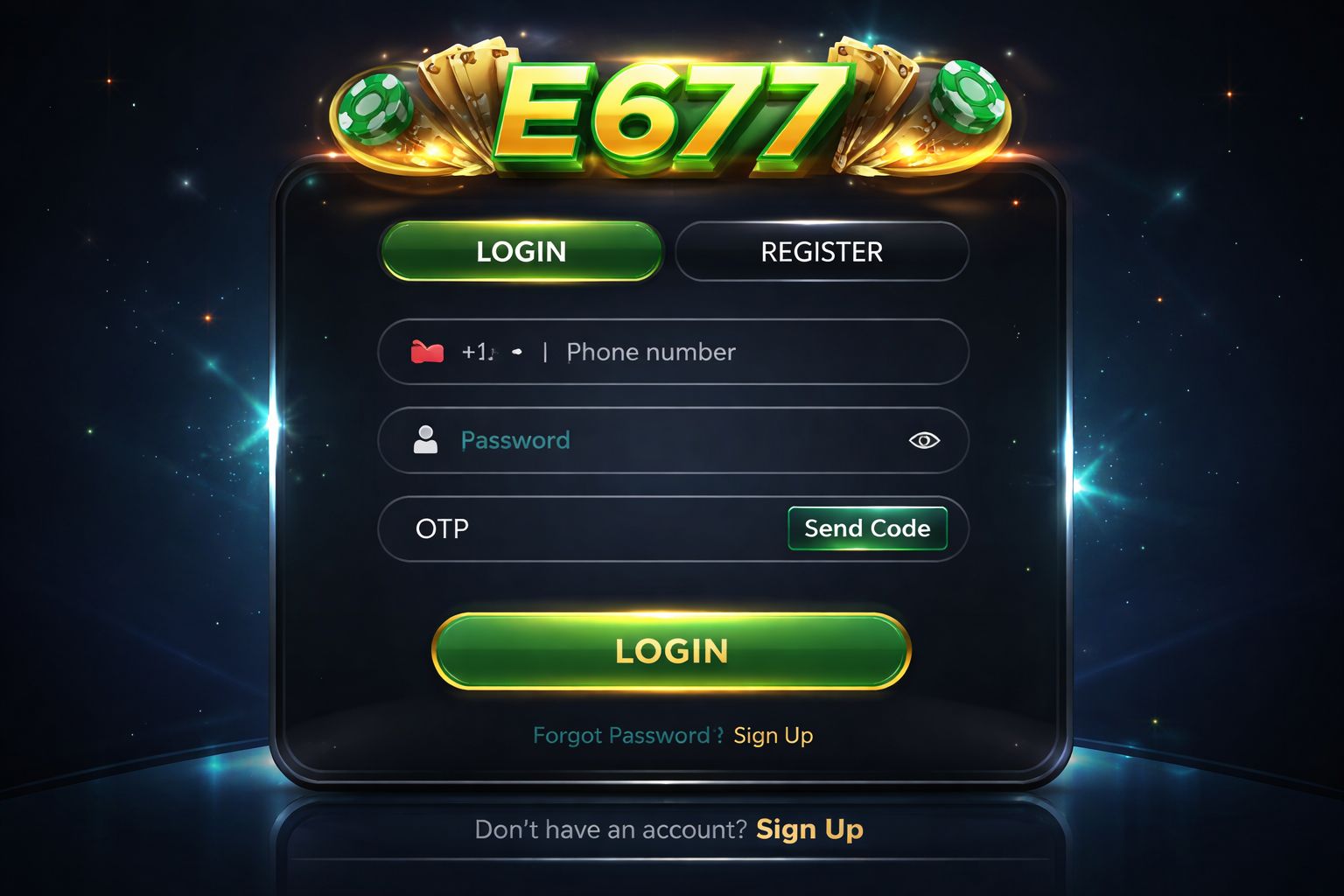
Open the official site or app, scan the upper area of the page, and press the Login button. The form is designed for quick access, so you should not need to dig through menus or reload several screens.
Enter the username or Philippines mobile number connected to your account, type your password carefully, then confirm. If your details match, you are moved straight into the main lobby where you can check the casino tables, browse slots, or review promotions before depositing.
Three login methods:
| Method | Requires | Average Speed |
|---|---|---|
| Username + password | Type them in | ~10 sec |
| Phone number + password | Type them in | ~10 sec |
| Biometric (app only) | Fingerprint or Face ID | ~2 sec |
One practical reminder: if you are signing in from a borrowed phone, office computer, dorm laptop, or an internet café terminal, leave the "remember me" option unchecked. Convenience is useful on your own device, but risky on anything shared.
If your account is already active, the sign-in process is only a short stop before you continue to the slots section or open the mobile-friendly Android app for faster access.
📝 Creating a New Account
First time using E677? Registration is built for Philippine users and does not ask for unnecessary details at the first step. You only need the basics before you can explore the platform:
- ✅ A Philippines mobile number that can receive SMS codes
- ✅ A payment option you actually control, such as GCash, Maya, or a local bank account
- ✅ 2 minutes of focused time so you can enter every detail correctly
Step-by-step:
- Press the Register button from the homepage or inside the app menu
- Enter your Philippines mobile number — preferably the same number tied to your wallet or bank because payment name matching matters later
- Create a strong password — combine upper and lower-case letters, numbers, and at least one symbol
- Provide your full name — use the same spelling shown on your valid government-issued ID
- Select PHP as your account currency so deposits and withdrawals stay clear
- Add a promo code if you received one before opening the account
- Verify the OTP sent by SMS to prove the number belongs to you
- Confirm the form — your new E677 account is ready to use
After registration, you can look around the live casino lobby, compare sports markets on the betting page, or test the navigation before adding funds. You are not forced to deposit the moment the account opens.
What you don't need at signup:
- ❌ Email verification (optional, useful later for extra recovery options)
- ❌ ID upload (usually requested before withdrawal processing or manual checks)
- ❌ Selfie / KYC (only needed for withdrawals over ₱10,000 or flagged security reviews)
- ❌ Proof of address (not required during the normal account creation flow)
That makes the onboarding lighter than many platforms serving Filipino players, especially those that demand long forms before letting you see the games.
🔒 Account Security Tips
Your E677 account is connected to funds, personal information, and payment history, so protect it with the same care you give your e-wallet.
Do:
- ✅ Use a password that is unique to E677 — avoid recycling the one from email, social media, or shopping apps
- ✅ Enable 2FA (two-factor authentication) when available — SMS or email confirmation helps block unknown device access
- ✅ Use biometric login on the Android app if your phone supports fingerprint or Face ID access
- ✅ Log out after playing on any device that other people can touch, even if they are friends or family
- ✅ Review login activity from the security settings once in a while, especially after traveling or changing phones
Don't:
- ❌ Give your login details to another person, even if they say they only want to claim a bonus for you
- ❌ Save your password in a browser on a public computer or shared work device
- ❌ Follow surprise reset links from random messages — open e677-ph.net yourself instead of trusting forwarded URLs
- ❌ Play real-money games on unprotected public Wi-Fi in malls, cafés, terminals, or campus hotspots
- ❌ Respond to Messenger, Viber, or SMS accounts pretending to be support if they ask for private credentials
Watch for phishing: if an SMS, email, or chat message claims to be E677 and pushes you to sign in through a strange link, check the address first. The official domain placeholder is e677-ph.net; extra words, misspellings, or bonus-looking domains should be treated as unsafe.
❓ Password Recovery
Forgot your password? It is common, especially if you use different logins for banking, wallets, and gaming. The fastest recovery path is simple:
- Tap "Forgot Password" from the login panel
- Enter your registered phone number exactly as you used it at signup
- Receive an SMS with a 6-digit code on that mobile number
- Type the code into the recovery screen before it expires
- Create a new password that is stronger than the old one
- Log in with the new password and update your saved details if needed
The whole reset normally takes about 2 minutes. Codes expire after 10 minutes for security, so finish the process while the message is fresh.
If you don't get the SMS:
- Check whether your phone has cellular signal because OTP delivery relies on mobile network access
- Wait 60 seconds before pressing "Resend code" so the system does not stack multiple requests
- Try email recovery if you previously added an email address to the account
- Reach live chat only after the simple checks fail — support can guide manual verification when needed
If you've lost access to the phone number too:
Contact support with:
- Your registered name
- Approximate signup date
- Last deposit amount + method, including GCash or bank reference if available
- Government-issued ID scan for verification
Support may reset the account or move it to a new phone number after checking ownership. Manual recovery can take 24–48 hours because the team has to protect your balance and prevent account takeover.
📱 Mobile vs Desktop Login
E677 works across device types, but the best choice depends on how you usually play, where you are, and whether you prefer fast tapping or a larger screen.
- Mobile browser (Chrome, Safari):
- ✅ Works on most modern phones without installing anything
- ✅ Good for quick sign-ins while commuting or relaxing at home
- ✅ Lets you visit the slot games area and cashier from one browser
- ❌ No biometric login shortcut
- ❌ Can feel slower when mobile data is weak - Android app:
- ✅ Biometric login with fingerprint or Face ID on supported devices
- ✅ Push notifications for account alerts and updates
- ✅ Smoother transitions between game sections and live areas
- ✅ Faster load between pages once installed
- ❌ Android only, so iPhone users stay with the browser
- ❌ Requires permission for APK installation from trusted source - Desktop browser:
- ✅ Larger display for comparing multiple markets on sports betting
- ✅ Convenient when watching streams or reviewing account details carefully
- ✅ Full site functionality with easier typing for passwords
- ❌ No biometric login
- ❌ Not as portable as your phone for everyday access
Most players in the Philippines lean toward mobile because it fits GCash, Maya, and quick play habits. Desktop is still useful when you want a wider view, especially before placing several pre-match or live bets.
🛟 Login Support & Help
If you cannot log in, do not keep guessing passwords until the account locks. Use one of the official help routes instead:
- 1. Live chat — available from the site interface
- Available 24/7 in English and Tagalog
- Response time: usually under 3 minutes
- Best for OTP delays, failed sign-ins, and basic account checks - 2. Email — [email protected]
- Response time: 4–12 hours
- Best for cases that need screenshots, documents, or transaction references
- Include your registered phone number but never send your password - 3. Official in-site support channel
- Use only the contact option shown after opening e677-ph.net or the verified app
- Response time: 10–30 minutes depending on queue
- Best for general guidance before you return to the casino area or cashier
Legitimate support never asks for your password. If a person claiming to represent E677 requests your full password, OTP, or wallet PIN, stop the conversation and report the contact through official support.
❓ FAQ
Everything Filipino players need to know about E677 login, signup, recovery, and account safety.
Register with your Philippines mobile number, create a password, and verify the OTP. The process takes about 2 minutes, and standard signup does not require documents right away.
Yes, up to 2 devices at the same time. If too many sessions appear, E677 may trigger an SMS security check to confirm that the account owner is signing in.
Wait 60 seconds and tap "Resend". Also check signal strength, make sure the phone number is correct, and switch from Wi-Fi to mobile data if your connection is unstable.
Yes, when you use the official access route and protect your credentials. SSL encryption, OTP checks, optional 2FA, app biometrics, and security monitoring help reduce unauthorized access.
Yes, but verification is required. You may need to confirm ownership of the old number, prove control of the new number, and provide identity details if the old SIM is unavailable.
No for normal registration. KYC is generally requested before certain withdrawals, for withdrawals over ₱10,000, or when account activity requires extra verification.
Contact support through live chat or [email protected]. The team will verify your identity, check remaining balance, and guide closure within the applicable account review period.
The account may lock for 30 minutes after 5 failed attempts. Use "Forgot Password" instead of continuing to guess, because reset verification can restore access more safely.
UnionBank may be available through bank transfer options, while PalawanPay may depend on supported cashier routes. Always check the cashier page after login for the latest Philippine payment methods.
💭 Final Word
E677 login and registration are straightforward for Philippine players: phone number, password, OTP, and you are ready to browse. The flow avoids long early forms while still keeping security checks where they matter.
If something fails, live chat is usually the quickest fix, while [email protected] is better for cases involving documents, screenshots, or payment references. Do not trust unofficial messages that pressure you to reveal OTPs or passwords.
Use a strong password, activate 2FA when available, and install the E677 app on Android if you want biometric login. From there, you can move smoothly between slots, live casino, and sports markets with fewer interruptions.